1. Acceptance And Eligibility
By creating an account, using a free trial, purchasing access, or using Tailwind Aviation, you agree to these Terms & Conditions. If you do not agree, do not use or purchase the service. If you are under 18, you may use the service only with the consent and supervision of a parent or legal guardian, who accepts responsibility for your use and any purchase.
These Terms must be read with applicable South African law. Nothing in them removes a consumer right or remedy that cannot lawfully be excluded, restricted, or waived.
2. Educational Use Only
Tailwind Aviation provides study and practice material for South African pilot-exam preparation. The platform is not a flight school, regulator, aviation authority, or substitute for approved training, instructor guidance, official SACAA material, aircraft manuals, AIPs, AICs, NOTAMs, or current regulations.
Do not use Tailwind content as operational flight information or as the sole basis for a real-world flight decision. Always use current official and aircraft-specific sources and obtain appropriate instructor or professional guidance.
3. Accounts And Access
You are responsible for keeping your login details secure and for all activity under your account. Access is for the individual account holder only and may not be shared, resold, transferred, or used by multiple students unless Tailwind Aviation has agreed to that in writing.
Free trials and paid access are personal. Creating or using multiple accounts to repeat a trial, evade an expiry, bypass a restriction, or obtain unauthorised access is prohibited.
We may take proportionate steps to restrict, suspend, or terminate access if we reasonably believe an account is being shared, misused, used to copy content, used to interfere with the platform, used for fraud, or used in material breach of these Terms. Where reasonably possible, we will give notice and an opportunity to correct the issue. We may act immediately where needed for security, fraud prevention, legal compliance, or protection of users or content. Contact us if you believe a restriction was applied incorrectly.
4. Courses, Access Periods And Payments
Paid access is a once-off, prepaid digital service for the course, subject, bundle, logbook option, and duration selected at checkout. Tailwind does not automatically renew access or make recurring charges unless an automatic-renewal arrangement is clearly presented and separately accepted at checkout. Current purchases do not auto-renew. By selecting a clearly marked non-renewing plan, you expressly direct that it end on the stated expiry date instead of continuing month-to-month. If applicable law requires a pre-expiry notice or another process, Tailwind will follow it.
Prices and the final amount payable are shown in South African rand before payment, including any discount, upgrade credit, and tax that Tailwind is required to collect. Access normally begins when payment and activation are confirmed and ends on the expiry date shown in the account. Additional paid days may start after existing eligible access where the cart expressly says that they will be stacked.
A course or subject includes only the content, features, duration, and logbook access described at checkout or in the applicable offer. Paused or protected logbook days and subject-to-course upgrade credits are calculated under the rules displayed in the account and cart at the time of the transaction.
We may update, correct, replace, or reorganise questions and features to improve accuracy, security, and usability. We will not deliberately remove the essential benefit of an active paid purchase without a lawful and reasonable remedy, such as restored access, an extension, an equivalent feature, or an appropriate refund.
Payments are processed through the payment provider shown at checkout. Tailwind does not receive or store full payment-card credentials.
Payment confirmation is provided electronically, and your account shows current access and expiry information. Tailwind normally retains transaction records for at least five years after the transaction, subject to any longer period required for legal, accounting, fraud-prevention, or dispute purposes. You may request a copy of an available transaction record through the Contact form.
Logbook And Offline Features
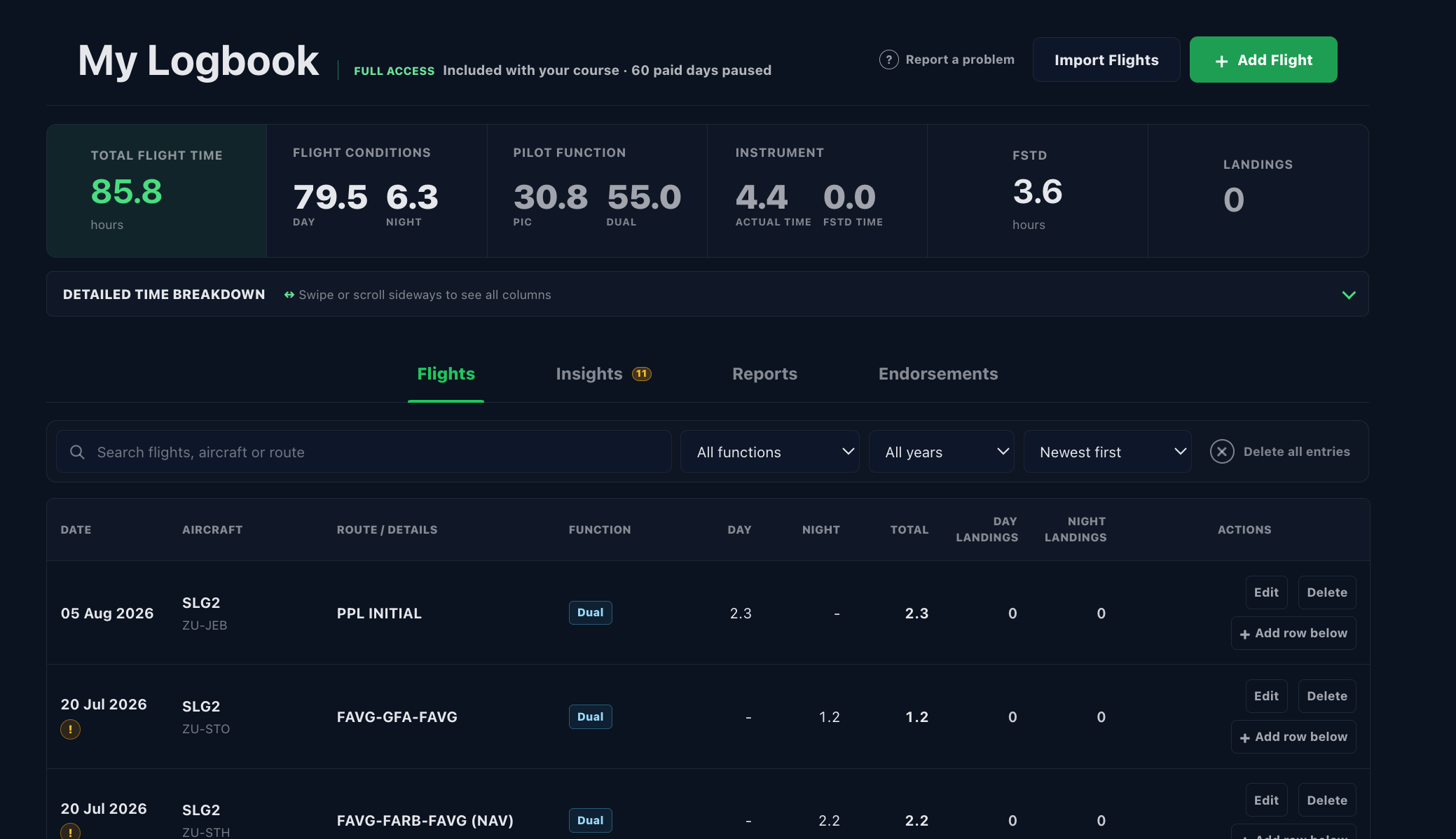
The logbook is a record-keeping aid. You are responsible for entering accurate information, checking totals and classifications, obtaining any required signatures or endorsements, confirming that your records meet current regulatory requirements, and keeping suitable exports or backups. Tailwind does not verify flight entries or guarantee that an authority, employer, insurer, or training organisation will accept a particular electronic record or export.
Offline study packs are encrypted on the device, are personal to the signed-in account, and are available only while the relevant access remains active and for the displayed offline lease period, currently up to 7 days at a time. Reconnection may be required to renew the lease, verify access, and sync progress. Removing the app, clearing browser data, changing device, or losing the device may remove locally stored information.
5. Refund Policy
The free trial is provided so that you can evaluate the service before purchasing. Paid access is a digital service that is normally delivered immediately after payment.
At checkout, you are asked to request immediate performance. To the extent permitted by section 42(2)(d) of the Electronic Communications and Transactions Act, the seven-day cooling-off right in section 44 does not apply to a service that begins with the consumer's consent before that period ends. If a mandatory cooling-off right applies in the circumstances, we will honour it.
Where section 14 of the Consumer Protection Act applies to an access agreement, a consumer may cancel it on 20 business days' written or otherwise recorded notice. Tailwind may apply only a reasonable cancellation charge permitted by law and will calculate any amount due or refundable after considering the service already supplied, benefits received, discounts, and remaining access.
How To Request A Refund
Use the Contact form on the landing page and provide the account email, course or subject purchased, purchase date, payment reference if available, and a clear explanation of the request.
We may request reasonable information needed to verify the purchase, investigate a reported fault, or understand how the access was used. An incomplete request may be paused until the required information is supplied.
Failures, Errors And Other Refunds
Subject to applicable law, an appropriate remedy may be available for a duplicate payment, material failure to supply purchased access, a verified defect that prevents reasonable use and cannot reasonably be corrected, or a clear purchase error reported before meaningful use.
Depending on the circumstances and your legal rights, a suitable remedy may be a correction, restored access, an extension, an equivalent service, a subject swap, a partial refund, or a full refund. We will not substitute a remedy where the law gives you the right to choose another remedy.
When No Refund Right Applies
Where there is no statutory or other legal refund right, a refund is not normally provided merely because of a change of mind after immediate access begins, prior use of the free trial, non-use, dissatisfaction with a preferred study style, failure to pass an examination, an expired access period, or a device, browser, internet, or third-party issue outside Tailwind Aviation's reasonable control.
Refunds are also not normally available where access has been shared, scraped, copied, redistributed, used in breach of these Terms, or restricted because of misuse, fraud, payment abuse, or a security concern.
Technical Issues
If you experience a technical issue, report it promptly through the landing-page Contact form with the device, browser, screenshots if available, and a description of what happened. We will first try to restore access, correct the issue, or provide an equivalent remedy.
Where an issue is caused by an unsupported device, poor connectivity, browser settings, a third-party service, or insufficient information to reproduce the issue, we may be unable to provide a refund unless applicable law requires one.
Approved Refunds And Payment Disputes
Approved refunds are normally returned to the original payment method where possible. Processing times depend on the payment provider and bank. Any refunded access may be removed from the account once the refund is processed.
If you raise a chargeback or payment dispute, we may provide the payment provider with the relevant transaction, access, and consent records and may suspend access while the dispute is reviewed. Nothing in these Terms prevents you from using a lawful dispute or complaint process.
6. Content Accuracy And Exam Outcomes
We work to keep questions, explanations, and study tools useful and aligned with the relevant training path. Aviation rules, syllabi, source documents, and examination practices can change, and errors may occasionally occur. Report suspected errors promptly. You remain responsible for checking current official sources and confirming operational or regulatory information before relying on it.
Tailwind Aviation does not guarantee that using the platform will result in passing an examination, achieving a particular score, or meeting any licensing requirement.
7. Intellectual Property
Rights in the Tailwind Aviation platform, branding, software, original questions and explanations, selection and arrangement of content, layouts, and original media belong to Tailwind Aviation or its licensors. Third-party and public-source material remains subject to the rights and terms of its respective owner or source. Your access gives you a limited, personal, non-transferable right to use the service for your own study and record keeping; it does not transfer ownership of any content.
You may not copy, scrape, download in bulk, reproduce, publish, sell, share, train another system on, or create competing products from our content without written permission.
8. Acceptable Use
You agree not to misuse the platform, attempt to bypass access controls, probe or attack the service, upload malicious code, automate extraction of content, interfere with other users, or use the platform for unlawful purposes.
9. Availability, Changes And Closure
We aim to keep Tailwind Aviation available and reliable, but uninterrupted access is not guaranteed. Maintenance, third-party outages, connectivity issues, browser settings, device limitations, security events, or necessary updates may affect availability. If a material interruption within our reasonable control substantially prevents use of active paid access, contact us so that we can provide an appropriate remedy where required.
If Tailwind permanently closes a paid feature before active access ends, we will give reasonable notice where possible and provide a lawful and reasonable remedy for the unused affected portion. Users should regularly export important logbook records and must export them before a notified closure or account deletion date.
10. Limitation Of Liability
To the fullest extent permitted by South African law, Tailwind Aviation is not liable for indirect, incidental, consequential, or special losses that were not reasonably foreseeable, including lost profits, lost opportunities, failed exams, or training delays. Nothing in these Terms excludes or limits liability for fraud, wilful misconduct, gross negligence, death or personal injury where exclusion is prohibited, or any consumer right, warranty, duty, liability, or remedy that cannot lawfully be excluded or limited.
11. Privacy Policy
Tailwind Aviation, through the service operator identified in the supplier details below, is the responsible party for personal information processed to operate this platform. This Privacy Policy explains what we collect, where it comes from, why we use it, when we share it, and the choices available to you. We process personal information in accordance with applicable South African privacy law, including POPIA.
Information We Collect
Depending on how you use the service, we may collect your name, email address, authentication identifiers, account and access records, purchase and payment references, expiry dates, coupons, progress, practice and exam activity, answers, explanation-use events, reports, device or browser diagnostics, security events, and support messages.
If you use the logbook, we may process flight dates, aircraft and registration details, routes, departure and arrival, flight times, landings, functions, endorsements, instructor details, licence or logbook details, and related notes that you choose to enter or import.
We collect information directly from you, automatically from your use of the website or app, from connected sign-in and payment providers, and from authorised support or administrative actions. Fields marked as required are needed to create an account, supply a purchase, secure the service, or answer a request. If required information is not provided, the relevant feature or transaction may be unavailable.
The website and app use local storage and session storage for preferences, authentication and session state, cached progress, cart state, and similar device functions. Expiring offline question packs are stored in an encrypted local database. Essential local technologies are required for the service to function; Tailwind does not currently use third-party advertising cookies.
How We Use Information
We use personal information to perform our agreement with you, create and secure accounts, provide course and logbook access, process purchases, calculate access and expiry, sync progress, provide support, prevent fraud and misuse, maintain security, comply with legal obligations, keep accounting and transaction records, establish or defend legal claims, and improve the service. Depending on the purpose, processing is based on contract, legal obligation, consent, or our legitimate interests in operating and protecting the service without unfairly overriding your rights. We send direct marketing only where permitted and provide a way to opt out.
Service Providers And Sharing
We may share information with the providers that help us run the service, including Firebase and Google Cloud hosting and authentication services, Google sign-in services, PayFast for payment processing, and technical or security providers. We may also disclose information when required by law, court order, regulator, or to protect users, the service, or our rights. We do not sell or rent personal information.
Some providers may process information outside South Africa. Where this happens, we use providers, contractual protections, and other safeguards intended to meet POPIA's requirements for cross-border processing.
Retention And Security
We retain information only for as long as reasonably needed for the purposes described above, including providing the account and logbook, completing transactions, meeting legal and accounting retention duties, resolving disputes, preventing abuse, and maintaining limited backups. Payment and transaction records are normally retained for at least five years after the transaction; other records have different retention periods. We delete, de-identify, or securely dispose of information when it is no longer lawfully required. We use reasonable technical and organisational safeguards, but no internet service can guarantee absolute security.
Your Choices And Rights
Subject to applicable law, you may ask whether we hold your personal information, request access or correction, request deletion of information we are no longer entitled to retain, object to certain processing, or withdraw consent where processing relies on consent. You may also opt out of direct marketing. Use the Contact form or privacy contact in the supplier details below. We may need to verify your identity before acting. You may complain to the Information Regulator of South Africa through its official channels.
Children's Information
A user under 18 must have parent or legal-guardian consent. A parent or guardian may contact us to review, correct, or request deletion of a child's personal information, subject to information we must lawfully retain.
Security Incidents And Updates
If a security compromise requires notification under applicable law, we will notify affected parties and the relevant regulator as required. We may update this Privacy Policy when our processing, providers, or legal obligations change; the date above shows when it was last revised.
12. Changes To These Terms
We may update these Terms when the platform, pricing, legal requirements, or business processes change. We will publish the revised version with a new update date and give reasonable notice of material changes where practical. A material change will not retroactively remove a right attached to an existing purchase unless the law requires the change or the change is reasonably necessary for security or service integrity and an appropriate remedy is provided. Where renewed consent is legally required, we will request it.
13. Supplier And Privacy Contact
Trading name: Tailwind Aviation
Website: https://tailwindexams.co.za
Support and privacy email: tailwindhelp@gmail.com
Tailwind does not claim membership of an accreditation or self-regulatory body and does not subscribe to an industry code unless this page expressly says otherwise.
14. Complaints, Governing Law And Disputes
Please first send a complaint through the Contact form or support email with enough information for us to investigate. We will try to acknowledge it promptly and resolve it fairly. This does not prevent you from approaching the Information Regulator, National Consumer Commission, an applicable ombud, payment provider, or court where you are legally entitled to do so.
These Terms are governed by the laws of the Republic of South Africa. A dispute may be brought in any forum that has jurisdiction under applicable law; these Terms do not force a consumer to waive a lawful forum or remedy.